
How to Join TSL Cup 2026
Everything you need from the game installation to your first race reservation.
Automobilista 2
You need the official PC version of the game. TSL races are hosted through Automobilista 2 dedicated servers.
VIEW ON STEAM ↗TSL Account & Driver Profile
Create your TSL website account first. Your racing identity is then linked to a Tracks driver profile used for championships, reservations, Safety Rating and Driver Overall.
In registration you must select the option "Yes create my racing profile" and then provide your Automobilista 2 name and, most importantly, your STEAM ID.
TSL Cup 2026
Registration is open. Go to My Racing Data and scroll down to the championship joining section, where you can select this series and submit your entry if you are eligible.
OPEN MY RACING DATA ↗TSL Cup
Prepare Before Race Day
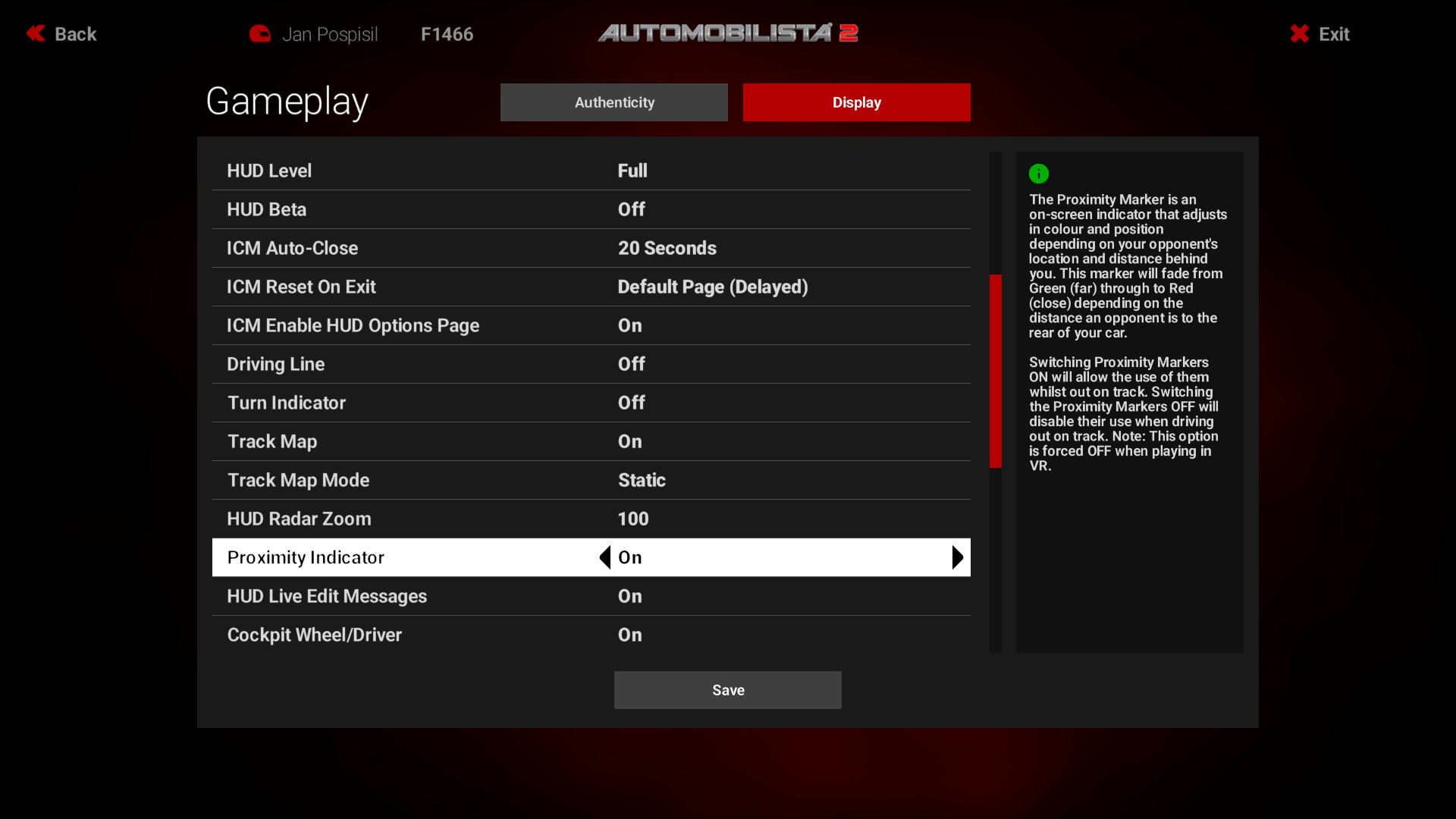
Every driver is required to have the radar turned on during qualifying and the race!!!! You can find the radar in Options - Gameplay - Display.
Confirm Your Race Entry
Use My Racing Data before each race. If pre-qualification is required, complete it first and then submit your race reservation before the championship deadline.
Join the Official Server
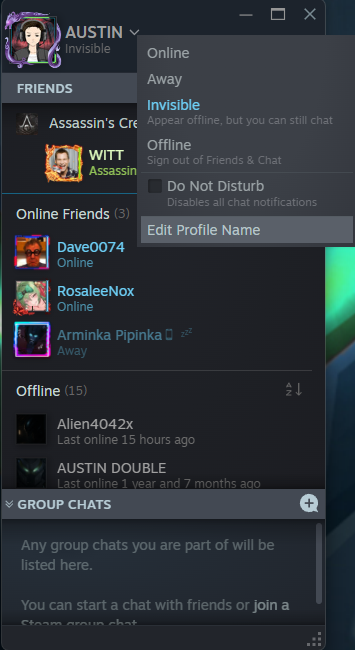
It is mandatory to have a real name set for qualifications and the race, both for clarity in the results and for the live broadcast. You can change your name in the Steam interface.
Take the next step.
Your TSL account and Tracks driver profile connect everything: registration, reservations, results, Overall and Safety Ranking.
Tracks powered by JLV Solutions